Getting Started with TensorFlow in Python
Wade HuangTensorFlow is one of the popular Machine Learning frameworks nowadays. It is a open source project and was developed by Google’s team. The special of TensorFlow is that it uses data flow graphs. Data and mathematical operations are the nodes in the graph. When you write the operations like f = x + y, you are build the graph instead of code (you will sense it when you see the examples later). Then put data to run the graph to get result.
To read this blog post, you might need to know some
- python
- docker
- machine learning
This blog post serves as quick start. For complete information, you should visit TensorFlow Documents
Installation
You can follow the official document to install TenserFlow on your machines. But if you want to quick start, I recommend to use Docker because you can just type (or copy) one command to start the service (if Docker has been installed).
docker run -it -p 8888:8888 tensorflow/tensorflow
This command pulls tensorflow/tensorflow image and start the service of Jupyter Notebook. Once the service starts, you can visit http://localhost:8888/ on your browser. Then you can start to write your first TensorFlow.
I have a git repo that has some examples of Jupyter Notebooks. You can see them to get some know-how to write python code with Jupyter Notebook on Docker.
Basic
To start use TensorFlow, it have to be imported.
import tensorflow as tf
Basic Classes
There are some classes, you have to know when you get start with Tensorflow.
tf.Session
ts.Seesion is the class that run the graph you give and keep the states of variables.
with tf.Session() as sess:
    # generate a graph with only one node
    const_node = tf.constant('Hello, TensorFlow!')

    # execute session.run(graph) to get result
    print(sess.run(const_node))

# if you don't want to use "with" statement, you can call sess.close() manually.
tf.Tensor
ts.Tensor is the base class of Node includes placeholders of data, mathematical operations and others.
print(tf.constant('Hello, TensorFlow!'))
###Result###
Tensor("Const:0", shape=(), dtype=string)
Many functions of TensorFlow are create a node in the graph.
ts.constant
use ts.constant() to create a Tensor with constant value. the value can be string, integer, float and array.
# the simple way is just put the value
tf.constant(1)

# or you can give the type of the value
tf.constant(1, dtype=tf.int8)

# you can use shape to generate array
tf.constant(1, shape=[3,3])
# => [[1,1,1],[1,1,1],[1,1,1]]
Operations and Conversions
Many operations support convert to Tenser such as
# addition
node + node
# equals to
ts.add(node, node)

# subtraction
node - node
# equals to
ts.sub(node, node)

# multiplication
node * node
# equals to
ts.multiply(node, node)

# division
node / node
# equals to
ts.divide(node, node)

# matrix multiplication
node @ node
# equals to
ts.matmul(node, node)
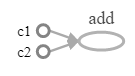
Let’s see an example mixes different Tensors.
with tf.Session() as sess:
    c1 = tf.constant(1)
    c2 = tf.constant(2)
    formula = c1 + c2
    print("c1 + c2 is", sess.run(formula))

###Result###
c1 + c2 is 3
This is its graph
ts.placeholder
use ts.placeholder() to create a Tensor. which require data input when exec session.run()
with tf.Session() as sess:
    x = tf.placeholder(tf.int32)
    y = tf.placeholder(tf.int32)
    formula = x + y
    print("x + y is", sess.run(formula, { x: [1,2,3], y: [4,5,6] }))

###Result###
x + y is [5 7 9]
This is its graph
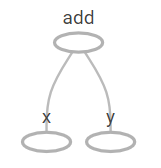
The second parameter of session.run is data dictionary. The example passes an array, so the session run the graph iteratively.
tf.Variable
use tf.Variable() to create a Variable class which is the trainable variable. When you run training with an Optimizer, variables are changed by the Optimizer. You can use session.run([variables]) to get last values in the session.
An example of Liner Model
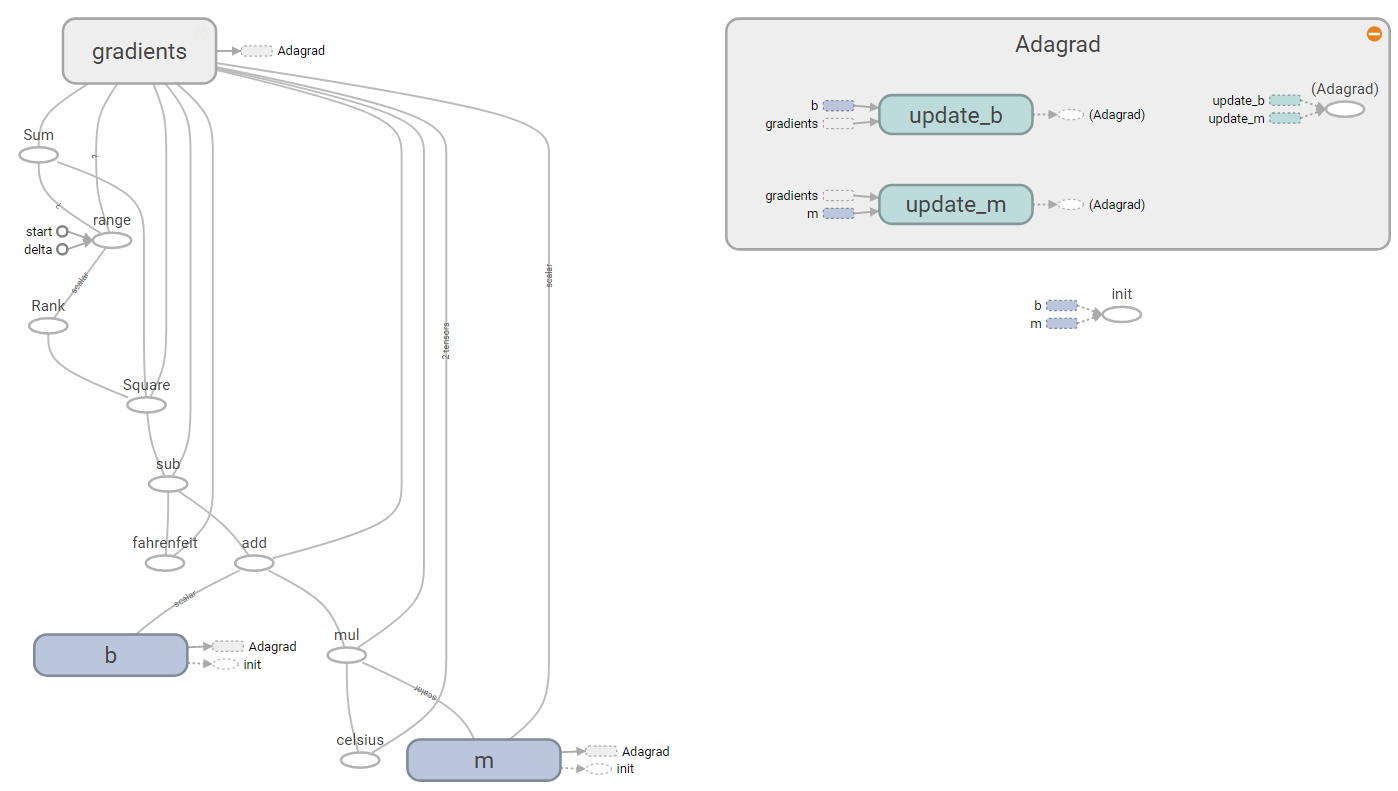
Let’s start a very easy example, finding the parameters of converting celsius to fahrenheit. Assume we only know some degrees between this two unit such as when the 0°c is 32 °c, but we don’t the formula, so we cannot give a arbitrary degree of celsius convert to the degree of fahrenheit. Therefore, we want Machine to find the relationship for us. We know that converting celsius to fahrenheit or vice versa is a liner model, so it can apply this formula.
\[y = mx + b\]Then, give some x’s and y’s as training data. Machine is able to find the m and b.
# c = celsius = x
# f = fahrenheit = y

c = tf.placeholder(tf.float32)
f = tf.placeholder(tf.float32)

b = tf.Variable(0, dtype=tf.float32, name="b")
m = tf.Variable(0, dtype=tf.float32, name="m")

# convert celsius to fahrenheit
linear_formula = m * c + b

# error and loss
error = linear_formula - f
loss = tf.reduce_sum(tf.square(error))

# training optimizer
optimizer = tf.train.AdagradOptimizer(1)
train = optimizer.minimize(loss)

# training data
c_train = [0,5,12,20, 28]
f_train = [32,41,53.6,68, 82.4]

# training loop
init = tf.global_variables_initializer()

with tf.Session() as sess:
    sess.run(init)

    max_loop, loop_count, loss_value, threshold = [10000, 0, 1, 1e-6]

    while loop_count < max_loop and loss_value > threshold:
        loop_count = loop_count + 1
        loss_value = sess.run([loss, train], {c:c_train, f:f_train})[0]

    # print training result
    print("Loop count: %s, loss: %s"%(loop_count, loss_value))

    # use session.run to get the last values
    print("F = C * {0:.2n} + {1:.2n}".format(*sess.run([m, b])))


###Result###
Loop count: 4771, loss: 9.94973e-07
F = C * 1.8 + 32
This is its graph
The graph inside of m
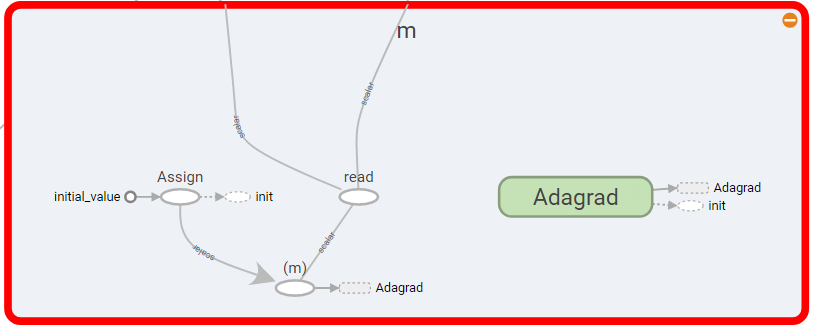
After 4771 iteration, Machine is able to find m is 32 and b is 1.8. Then we can use the formula to get fahrenheit by give a degree of celsius
sess.run(linear_formula, {c:[38]})

###Result###
100.4
Save and Restore
The above example is very simple, The variables m and b can be found less second. It is not different to find the values from scratch or to use the saved value, but normally a model needs a mass calculations and some time. You probably don’t want to wait certain time to get result. Thus, you can save the states of the session and restore it.
# this is a modified version of the above example
with tf.Session() as sess:
    while loop_count < max_loop and loss_value > threshold:
        loss_value = sess.run([loss, train], {c:c_train, f:f_train})[0]

    tf.train.Saver().save(sess, "/path/to/file.ckpt")

# restore
with tf.Session() as sess:
    tf.train.Saver().restore(sess, "/path/to/file.ckpt")

    # run linear_formula with the saved status.
    sess.run(linear_formula, {c:[38]})
Visualization
TensorFlow has official tool for visualization called TensorBoard. TensorBoard is included in TensorFlow, so when you install TensorFlow, TensorBoard is also installed. Currently TensorBoard doesn’t support online editor, so you have to build the TensorFlow graph in other places such as Jupyter Notebook. Then save the data and point TensorBoard to use that data.
See this document for more information.
use tf.summary.FileWriter() to save data.
with tf.Session() as sess:
    x = tf.placeholder(tf.int32)
    y = tf.placeholder(tf.int32)
    formula = x + y
    tf.summary.FileWriter("/path/to/folder", sess.graph)
Launch the TensorBoard service with the folder that has saved data.
tensorboard --logdir=/path/to/folder
See this example that how I use Docker to launch Jypyter Notebook and TensorBoard.
Conclusion
I have been played TensorFlow for some days. It is a very interesting framework. Its concepts are different than some other Machine Learning Frameworks such Spark, Caffe and scikit-learn that I have learned and used. I was amused by its data flow graph. Although TensorFlow are pretty new framework, the resources and tutorials are increasing. I think it is worth to try it.